Aethéa
A Synthéa world · Mac · iPhone · iPad

Aethéa

Endless music, layer by layer.

Aethéa turns your Mac, iPhone and iPad into a quiet place for endless background music. Pick a sound, add another on top, and it plays as long as you need it, without a loop you can hear. No music skills needed.

Say it ay-THAY-uh /eɪˈθeɪ.ə/

the music of the spheres, carried by the aether

Aethéa on Mac: a glowing pearl with orbits and threads of light that move with the music
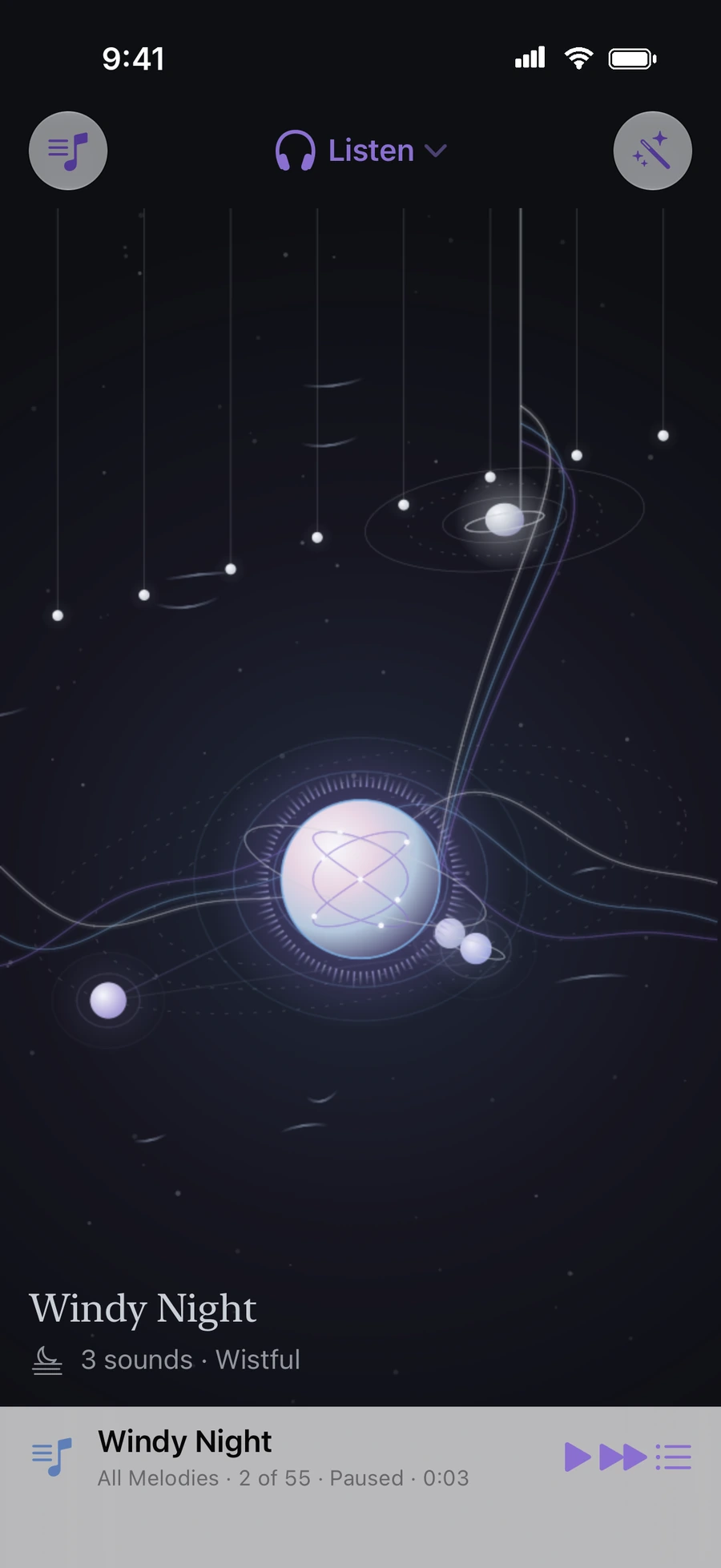
Aethéa on iPhone playing Windy Night
Layer by layer

Stack sounds. Hear a world.

Every layer is a sound made live on your device: rain, ocean, a warm pad, a kalimba, a beat. Add as many as you like. One Mood keeps them all in tune, so nothing clashes, and nothing repeats, because nothing is recorded.

Tap a layer to switch it on or off.

Three rooms

Listen. Create. Learn.

One app with three calm rooms. Switch between them any time, on any of your devices.

Listen

Press play and let it flow.

Ready-made melodies for sleep, focus, rainy days, nature walks and meditation. A living picture moves with every note: a glowing pearl, orbits and threads of light.
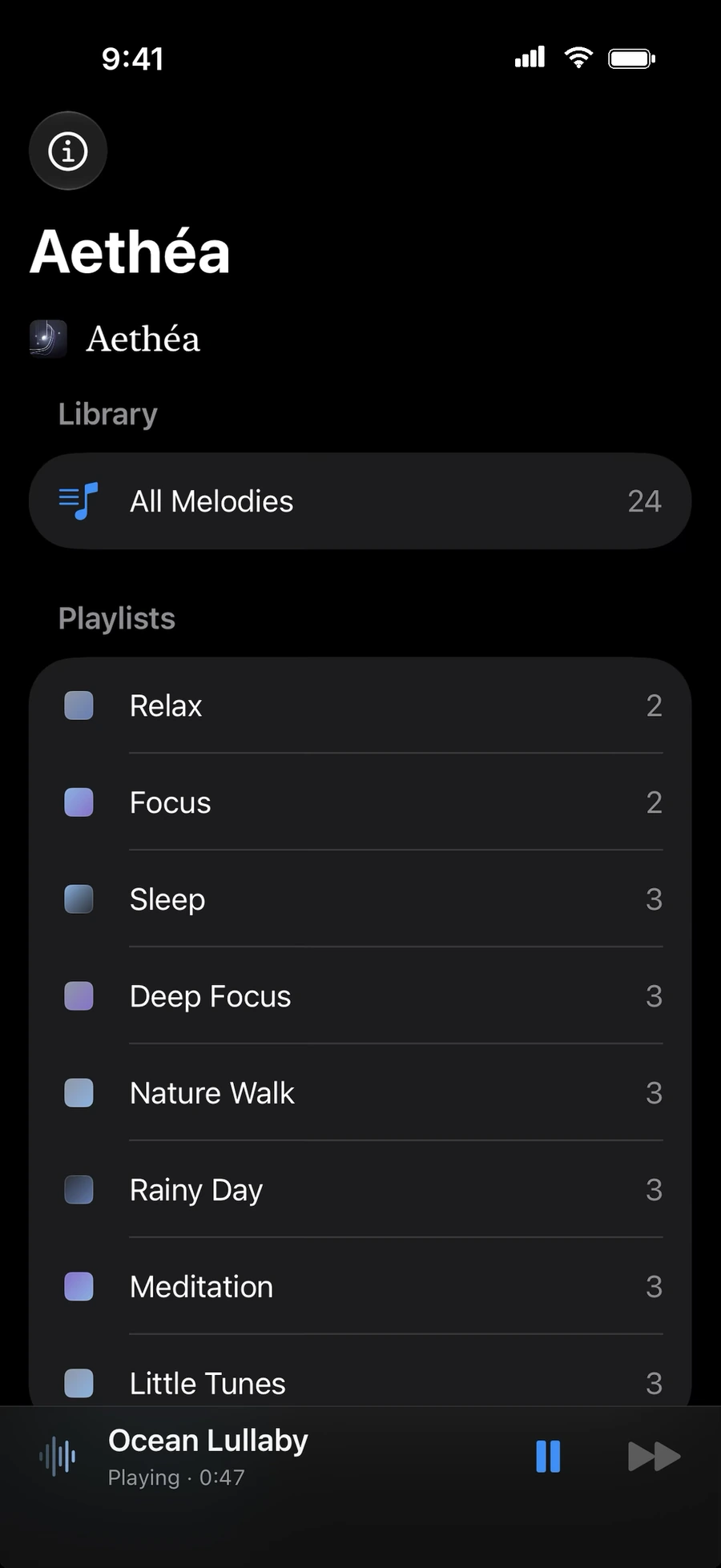
  • Playlists, Favorites and Auto Next
  • Plays in the background, with Lock Screen, Control Center and media keys
  • Double-tap any melody and it starts at once
Listen mode on Mac
Playlists on iPhone: Relax, Focus, Sleep, Deep Focus, Nature Walk
Create

Build your own soundscape.

Drag sounds onto the board and shape each one by feel: volume, width, height and depth. Guided mode walks you through it step by step. Free mode lets you play.
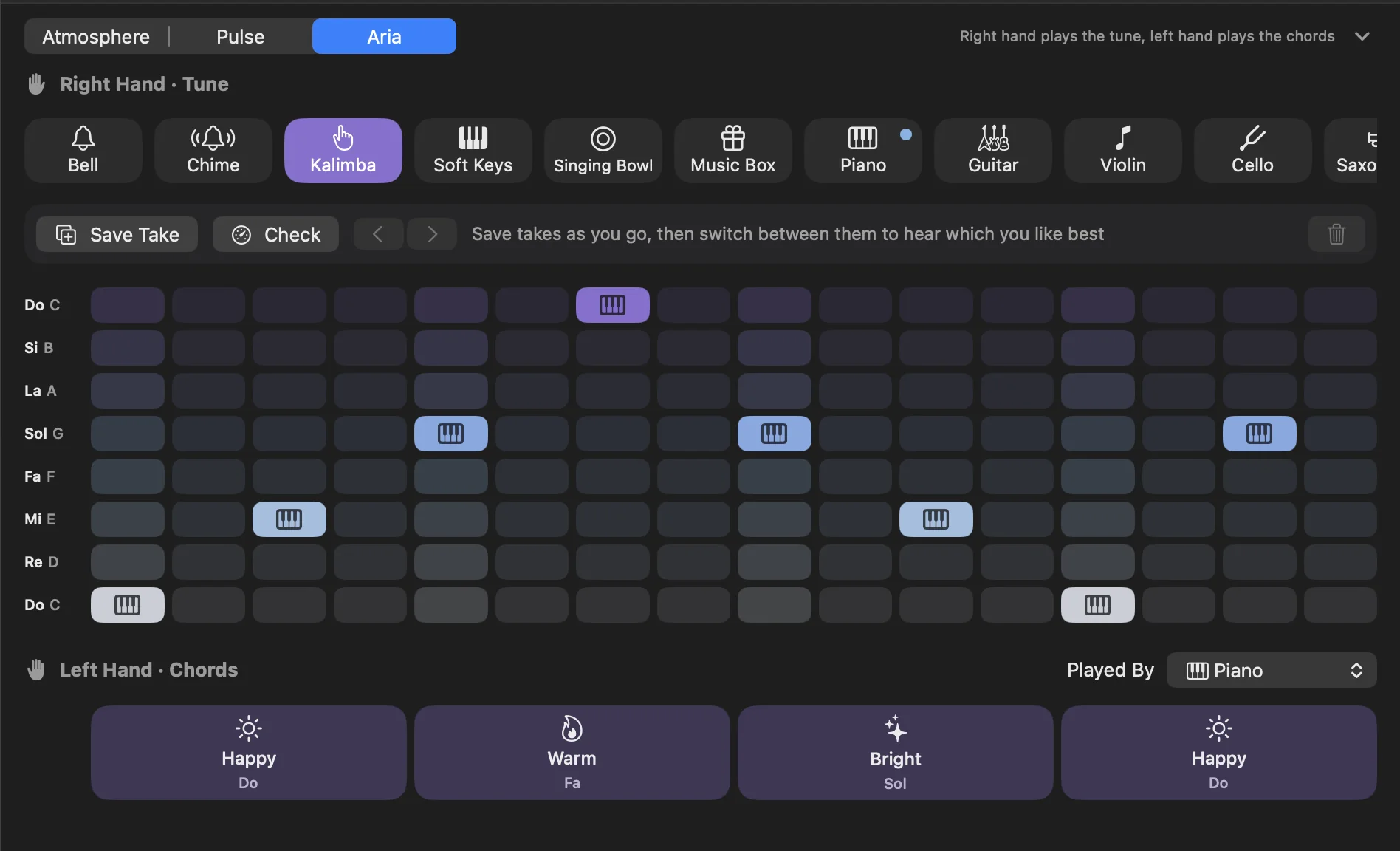
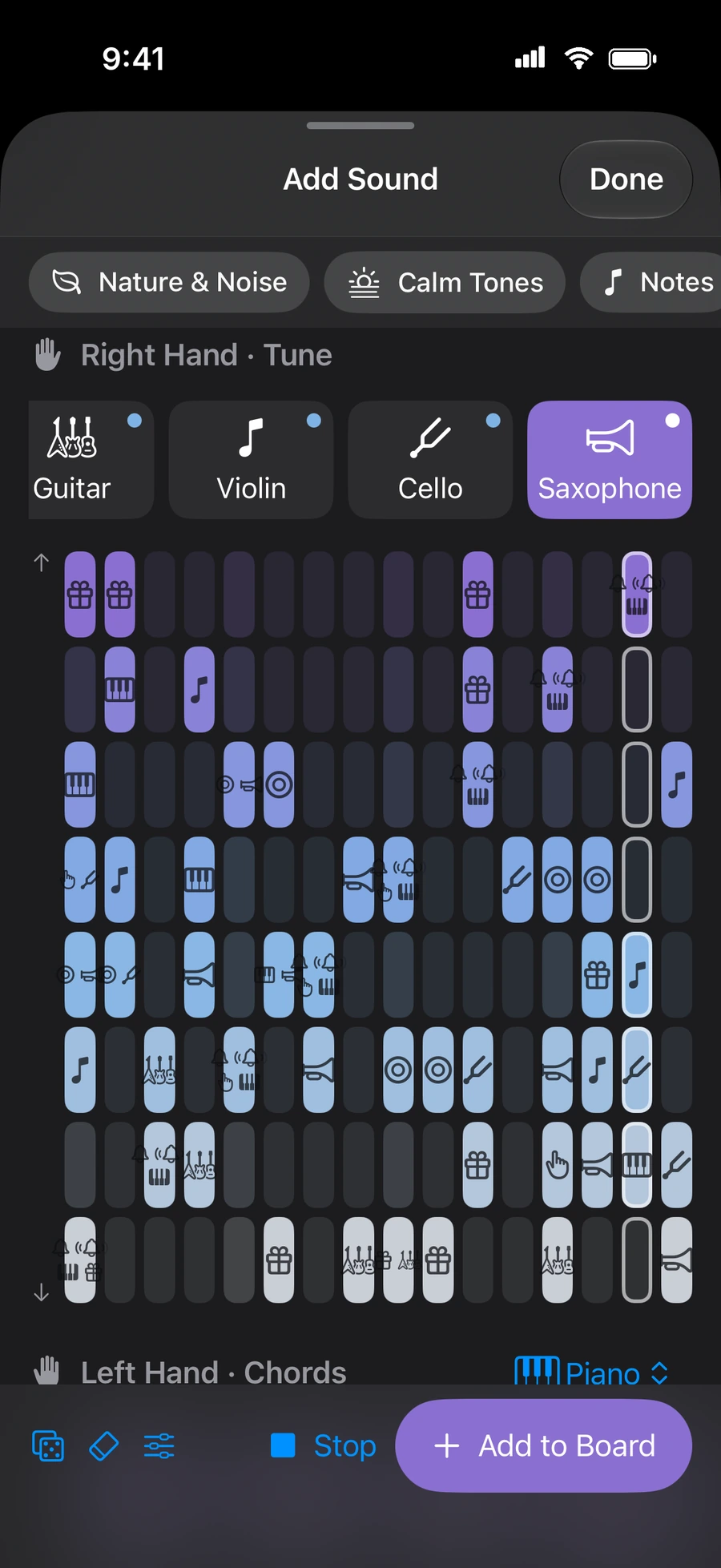
  • Atmosphere: rain, ocean, wind, stream, fireplace, birds, thunder, soft noise, pads, chimes, singing bowl, kalimba and music box
  • Instruments: piano, guitar, violin, cello and saxophone
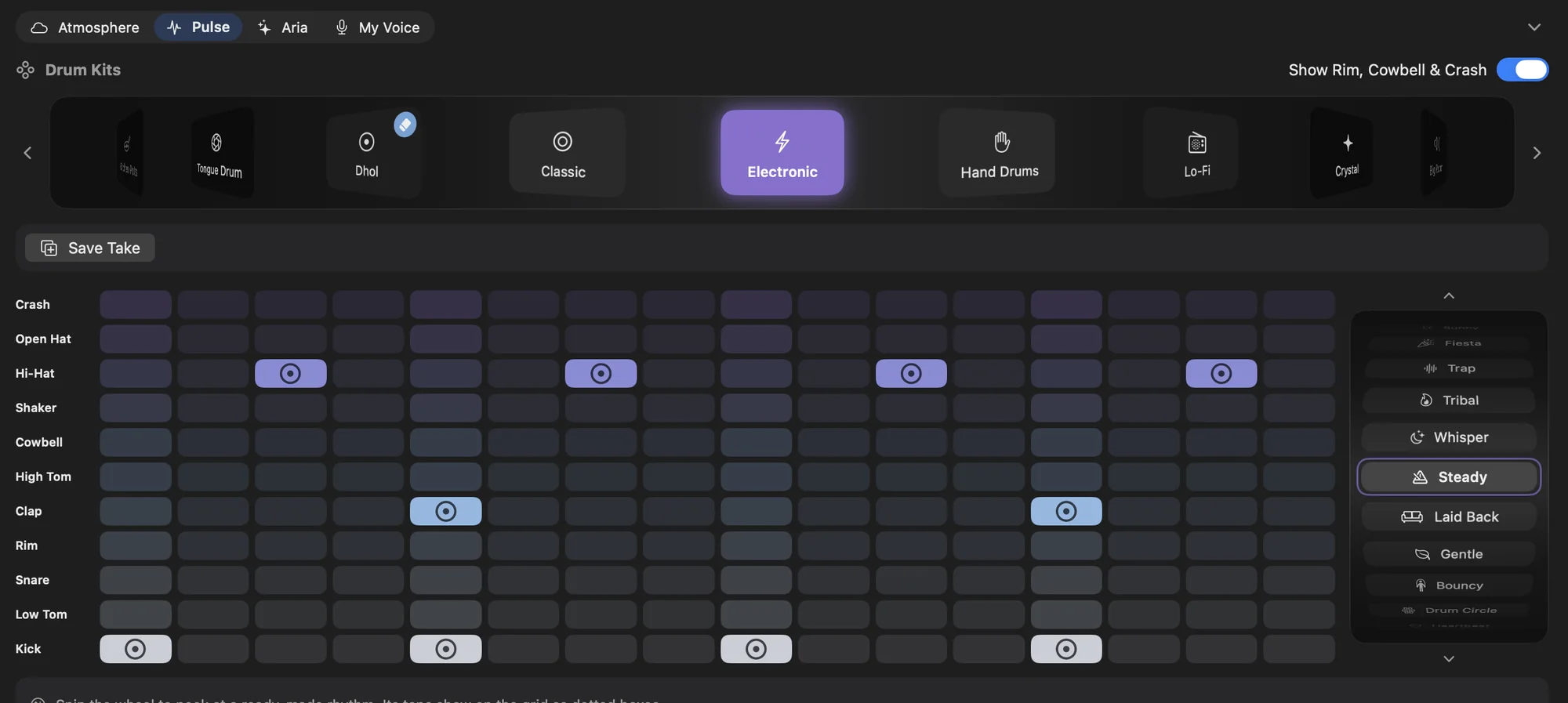
  • Pulse: a beat maker with 18 drum kits, from Lo-Fi to Tongue Drum and the Armenian Dhol
  • Aria: draw your own tune on a grid, with chords for the left hand
  • My Voice: record yourself and add it as a layer
  • Export to M4A or WAV, from 1 minute to 1 hour
Create on Mac: draw a tune on the Aria grid, with chords for the left hand
Aria note grid on iPhone with guitar, violin, cello and saxophone
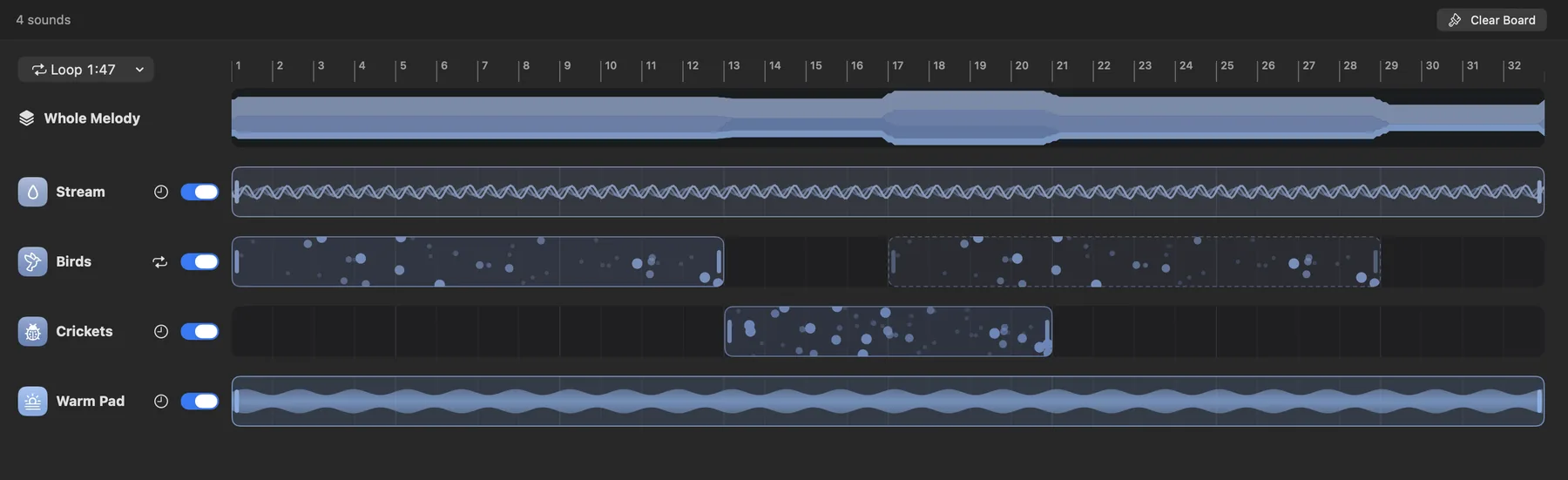
Melody Path: one lane per layer
Melody Path: every layer has its own lane. Choose when it comes in and when it rests.
Pulse beat maker with drum kits and ready-made rhythms
Pulse: tap drums onto the grid, or spin the wheel for a ready-made rhythm.
Learn

Music lessons that feel like play.

15 short, playful courses for children and grandparents. No music reading needed: every idea is told in simple words, and every page is something you can play.
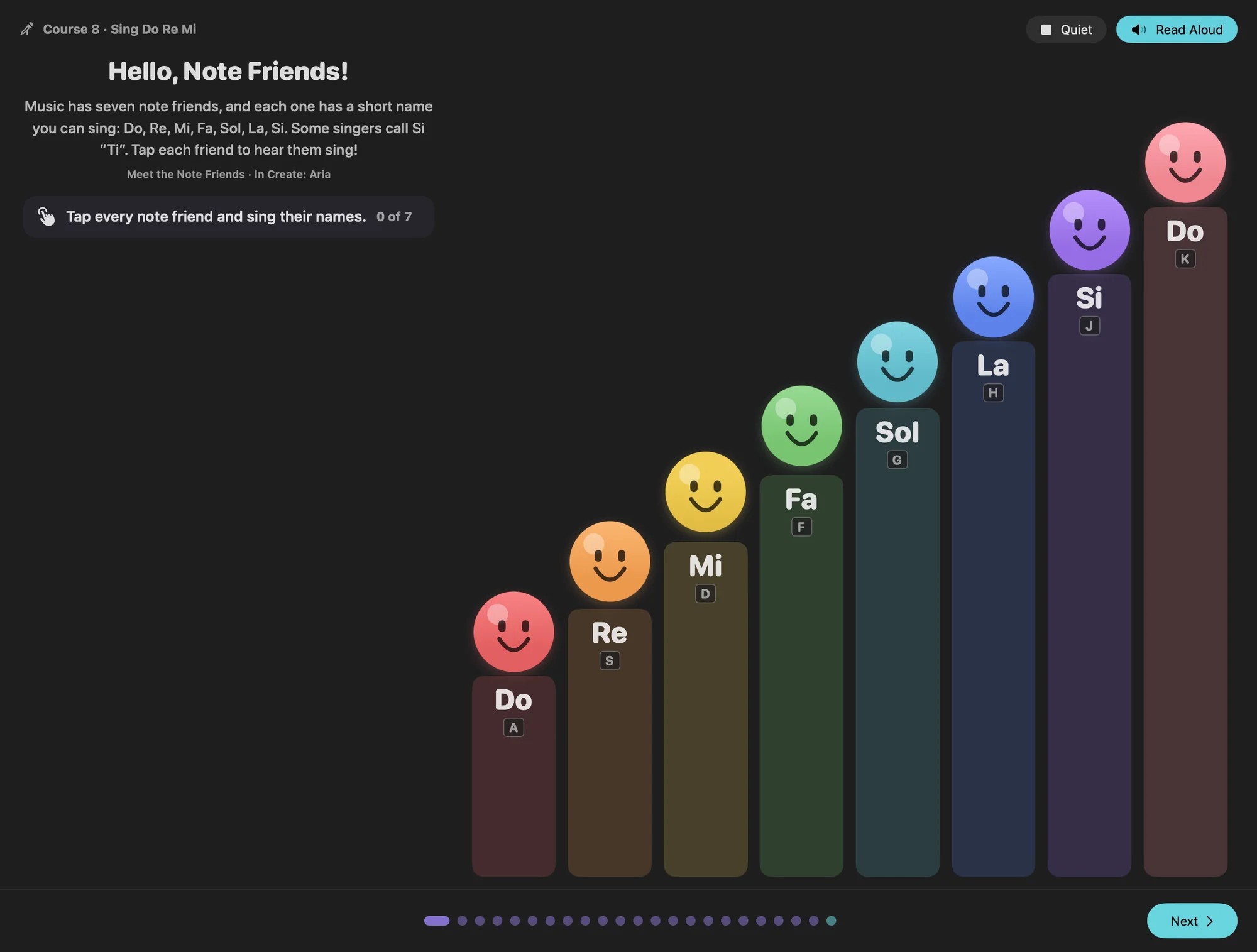
  • Read Aloud, so younger children can follow along
  • Play with your Mac keyboard, or tap on iPhone and iPad
  • Your progress is saved on every page
Hello, Note Friends: Do Re Mi lesson with singing note characters
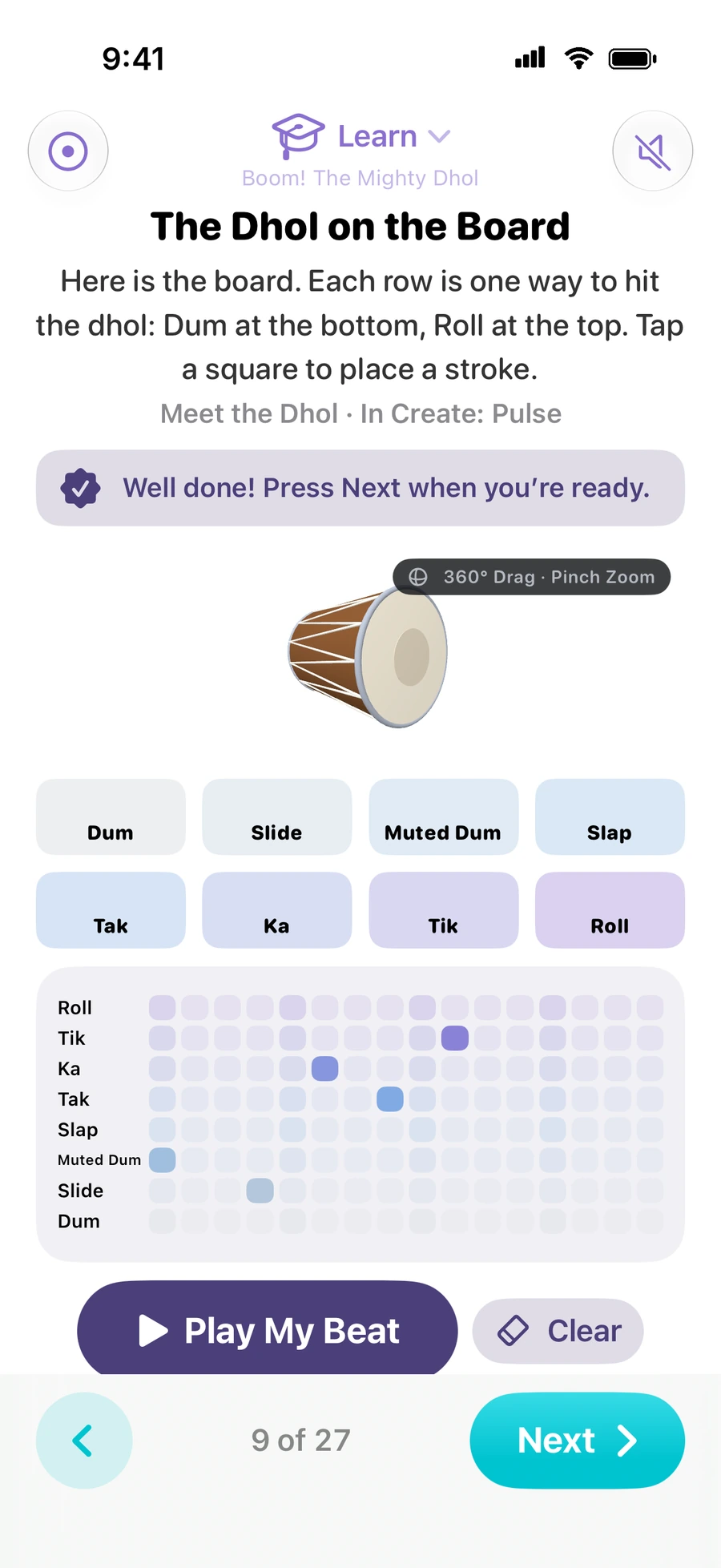
The Dhol on the Board lesson on iPhone

App Intro

How music works, and how to make it in Aethéa

Hello, Aethéa!The Secret Life of SoundTune BuildersTunes That Tell StoriesSong Wizard SecretsThe Instrument Zoo

Piano

Sing, play the piano and learn music theory

Do Re Mi FriendsPiano ExplorersChord AdventurersThe Composer’s Castle

Guitar

Acoustic strings, fingerpicking and chords

Acoustic Guitar StringsChords & HarmonyFingerstyle Virtuoso

Drums

A singing steel drum and the big Armenian dhol
Singing Steel PetalsBoom! The Mighty Dhol
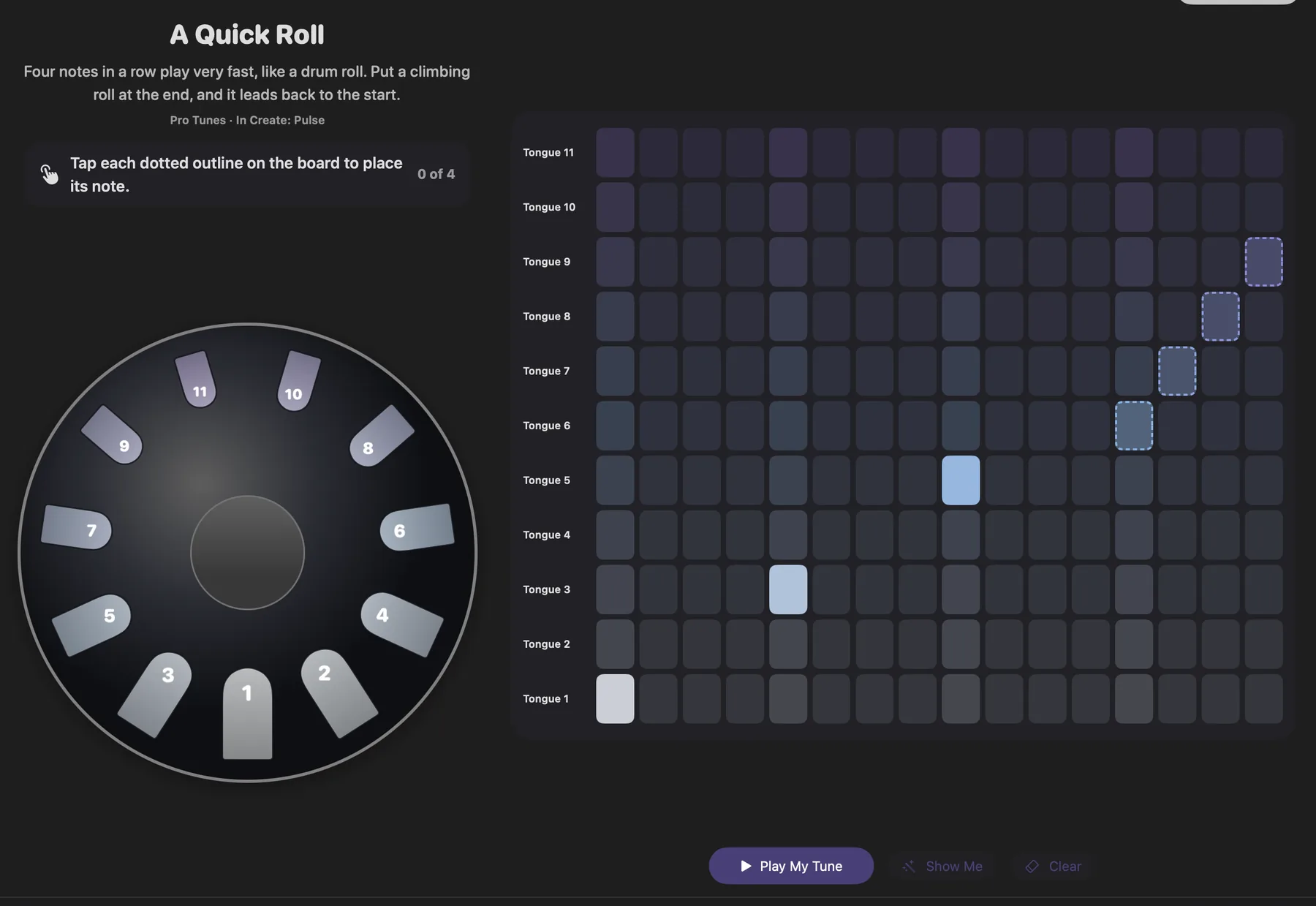
Tongue Drum lesson: A Quick Roll
Tongue Drum: tap the dotted outlines to build a drum roll, then play your tune.
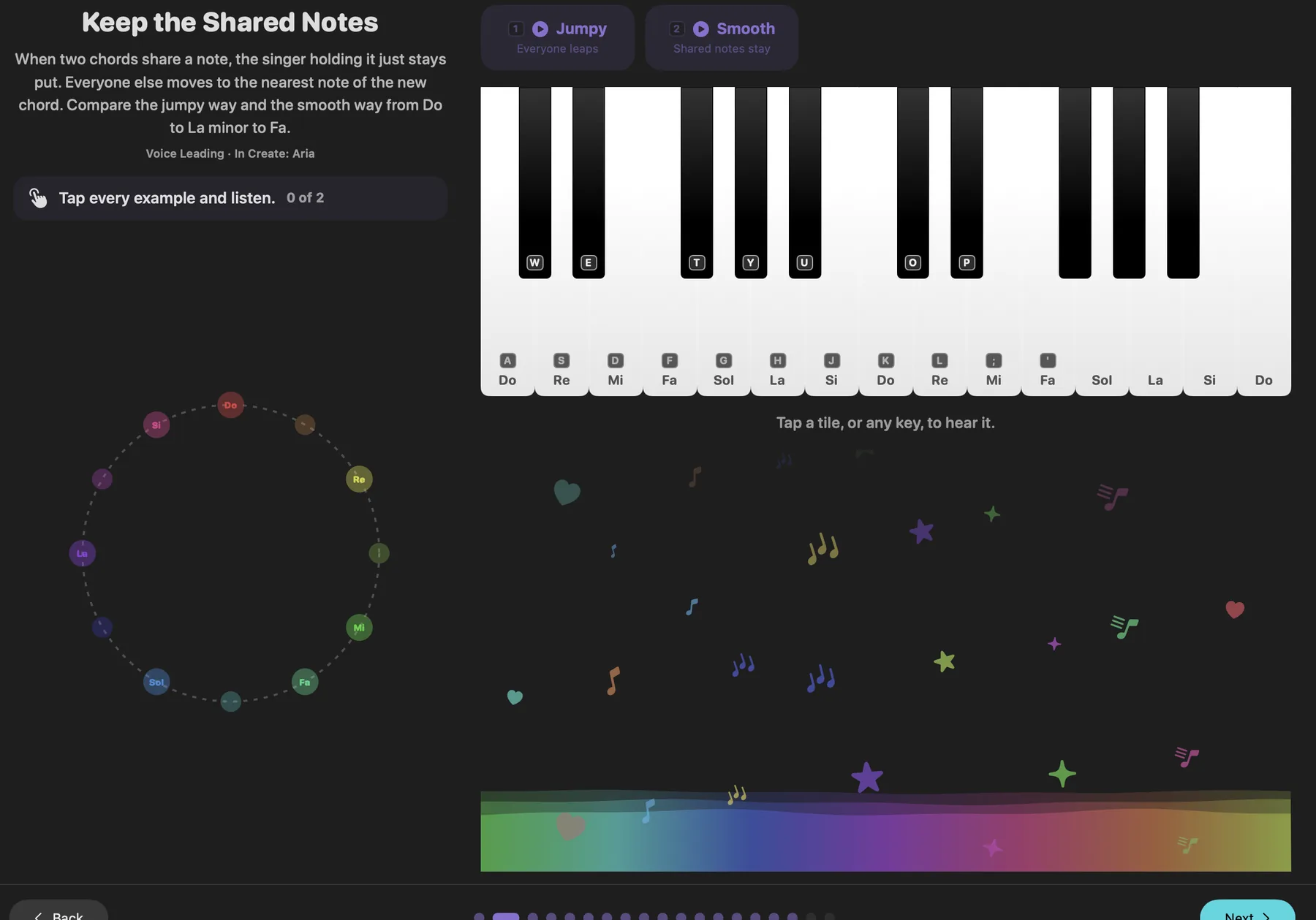
Music theory lesson on a piano that lights up
Music theory on a piano that lights up, from first intervals to key changes.

Touch them: tap a string, a drum skin or a petal and it plays right away.

Guitar: pluck the six strings and hear the pitch climb.
Dhol: Dum on the big skin, Tak on the small one.
Tongue drum: every petal sings its own note.
Made with care

Small details. Quiet power.

Never the same twice

Every sound is made as it plays, so there is no loop seam to hear.

One lane per layer

Decide when each sound comes in and when it rests on the Melody Path.

Versions and undo

Save versions and takes, and undo anything.

Mac, iPhone and iPad

One app everywhere, built natively for each screen.

Three languages

English, Russian and Armenian. Switch any time.

For every age

Big, clear controls and simple words, for kids and grandparents alike.

Export and share

M4A or WAV up to an hour, or share a melody as a file.

Plays in the background

Keeps going while you work, read or fall asleep.

Privacy

No account. No ads. No tracking.

Aethéa collects no personal data. It makes all its music on your device, works without the internet, and everything you create stays with you.

Read the Privacy Policy

Aethéa Pearl

Free to start. Pearl for everything.

Free download

Aethéa

Listen plays every built-in melody. The first part of every sound group and every course is free, with up to 3 melodies of your own.

Everything, everywhere

Aethéa Pearl

Every sound, every course and unlimited melodies on Mac, iPhone and iPad.

  • Pearl Moonmonthly subscription
  • Pearl Orbityearly subscription
  • Pearl Foreverone-time purchase

Prices are shown in your currency in the App Store. One purchase works on all your devices and with Family Sharing. Before any purchase, the app asks a grown-up a quick question. Subscriptions renew automatically until you cancel them in your Apple Account settings.

Let the music keep you company.